Flipgrid Integration in Nearpod
Flipgrid is at it once again, and during this time of remote learning the ability to integrate a Flipgrid Topic directly into a Nearpod presentation is so useful! Now in addition to creating Nearpod lessons filled with collaborative slides, 3D explorations and embedded activities, students can now share their voice on Flipgrid!
Flipgrid is at it once again, and during this time of remote learning the ability to integrate a Flipgrid Topic directly into a Nearpod presentation is so useful! Now in addition to creating Nearpod lessons filled with collaborative slides, 3D explorations and embedded activities, students can now share their voice on Flipgrid!
Getting Started
To get started you will need to have already created both a Flipgrid account and a Nearpod account. Assuming you have already started creating your Nearpod presentation, when you are ready to embed your Flipgrid Topic you will want to open up both applications in side-by-side tabs or windows.
Start by creating a new slide in Nearpod, and when choosing the type of slide go with an activity slide. You will then see the Flipgrid icon appear directly beneath it for you to click on.
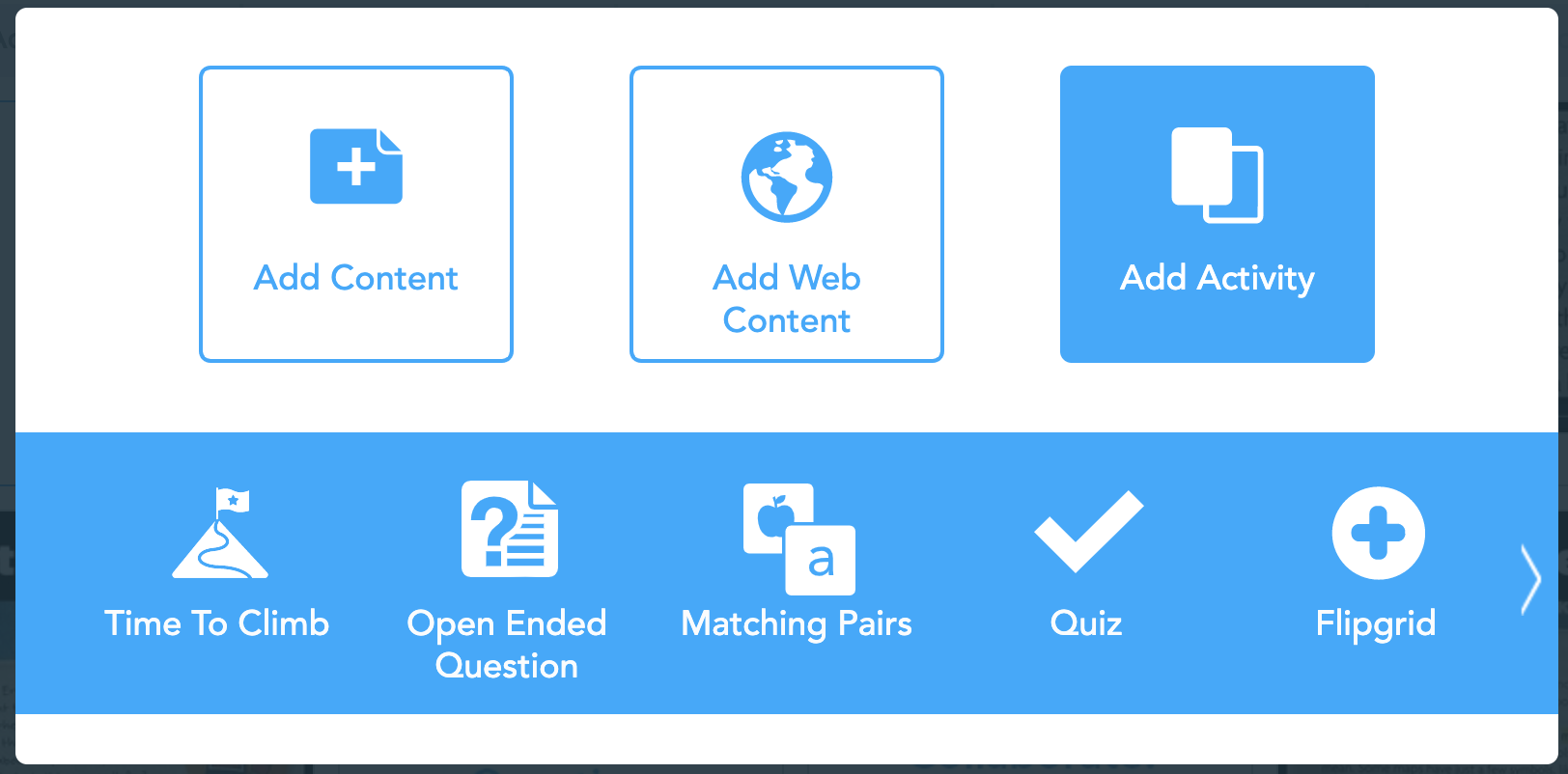
Once you click on the Flipgrid icon, you will be taken to a new screen. This is where you will embed the links to the Topic.

The first line is where you will paste the Flipgrid Teacher URL. This is the web address you see when you have your topic open on your desktop.

The second link is where you will paste the Flipgrid Student URL. From the Topic, click ‘Share’ and then click to copy the link into Nearpod.

Once the links are pasted and submitted, the slide will appear in the Nearpod deck ready for students to use.

For additional help with this integration, check out our tutorial video below, or on the Flipgrid YouTube channel.
- 👗➕👓
For more #interACTIVE lesson ideas using Flipgrid, check out our book The InterACTIVE Class on Amazon!


Flipgrid and Wakelet Integration!
Learn how to embed Flipgrid videos directly into your Wakelet collections in just five steps!

Back @ ISTE, Flipgrid announced a massive round of updates. Most of which came on 8/1, but the fine folks over at Flipgrid and Wakelet have a back-to-school gift for us all!
Now, you can record Flipgrid videos right into your Wakelet collections! Flipgrid has placed their new app, the Shorts Camera, right into Wakelet. This game changer allows educators to flip the classroom easily, and provide resources to your students. You can even open up the collection to be edited by your students, so that they can add content, too. To learn how to set up your first Flipgrid / Wakelet integration, check out the tutorial below!